
Your inbox and your calendar, filed against the right customer
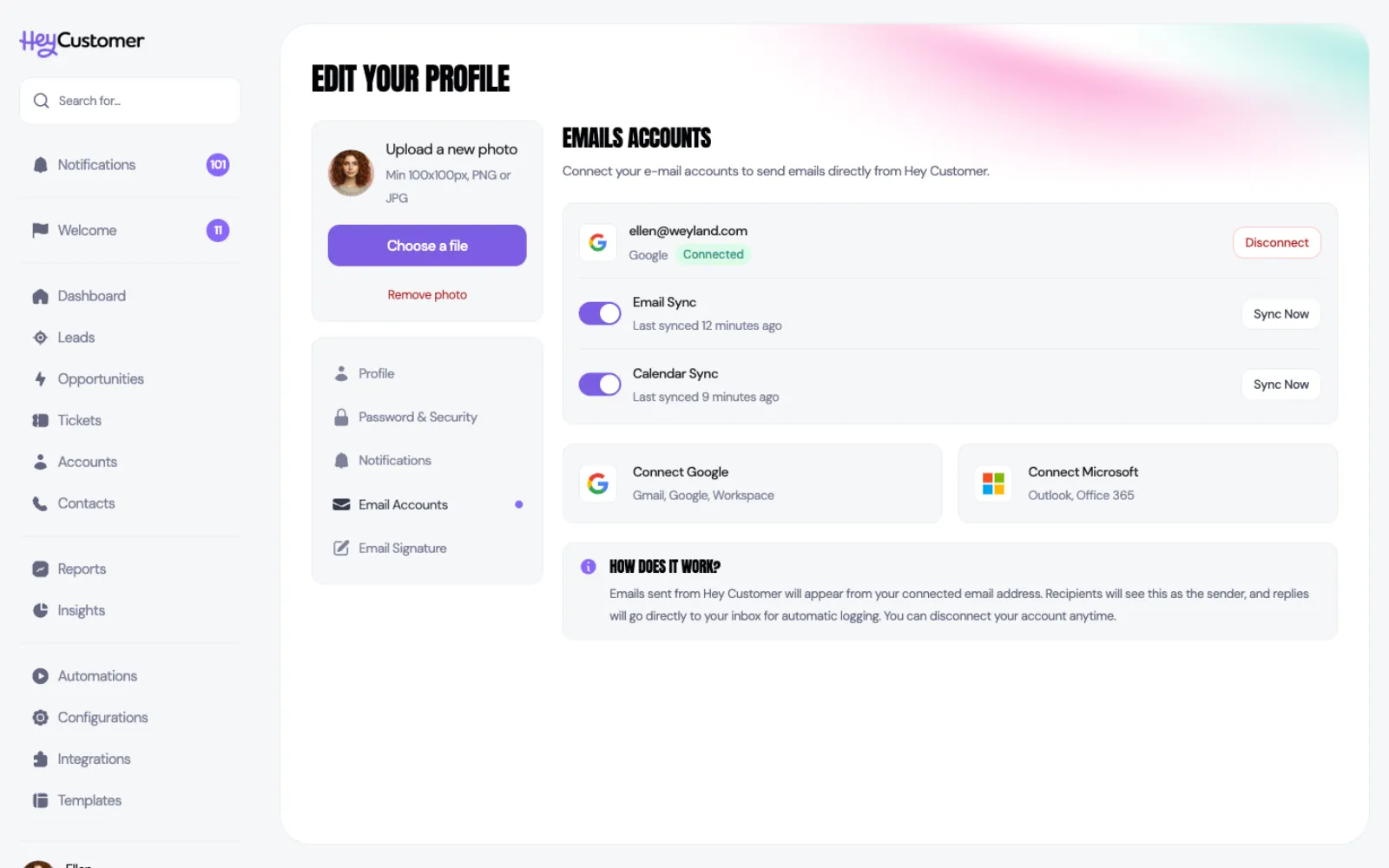
Connect your Gmail or Outlook mailbox and Hey Customer quietly files a copy of every conversation with a customer against their record, so the history is there whether or not you were on the thread.
Select your name at the bottom of the left-hand menu, then Email Accounts. Connect Google or Microsoft here and you get two switches: one for email, one for your calendar.
Your mailbox is yours. Email keeps arriving in your normal inbox and you keep working the way you always have — Hey Customer reads a copy and files it. Each person on your team connects their own account, so what gets filed is the whole team's correspondence, not one shared mailbox.
After that it runs on its own, checking for new messages and meetings every few minutes. There's a Sync Now button next to each switch when you'd rather not wait.
Turning a switch on reaches back 30 days and brings in what it finds. That's deliberate: you get useful history straight away without a year of old mail landing on your customers' records.
From then on each run picks up where the last one left off, so nothing is fetched twice and nothing is missed.
This is the part worth understanding, because it's what keeps your personal mail out of the system.
Hey Customer looks at everyone on a message — sender, To and Cc — and checks those addresses against your contacts. If at least one of them is a contact, the message is filed. If none of them is, the message is ignored and never stored.
So your dentist, your colleagues and your newsletters stay where they are. A thread with a customer gets filed the moment one of the addresses on it belongs to a contact.
This also means the fastest way to make a thread appear is to add the person as a contact. Do that and the next sync picks up the conversation.
Filed email attaches to the contact it matched. Because contacts belong to accounts and are attached to opportunities, the same conversation then shows up under Emails on the account and on any opportunity that contact is on.
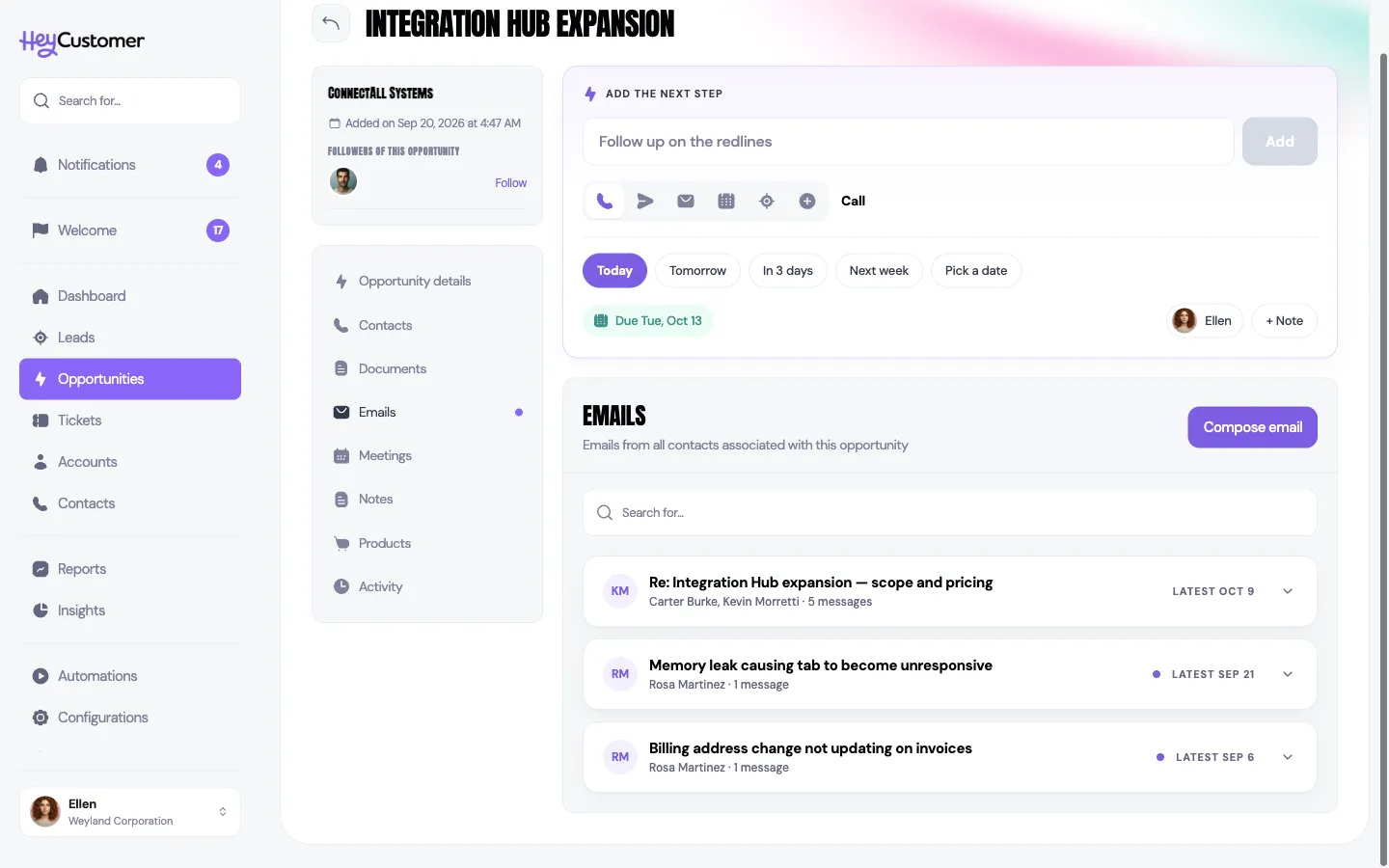
That's the practical payoff: put the right contacts on an opportunity and the opportunity carries its own correspondence, so whoever picks it up next can read the story instead of asking for it.
Calendar sync works the same way. Hey Customer matches the people invited to a meeting against your contacts and files it on their records, with the title, the time, how long it ran, where it was held and who attended.
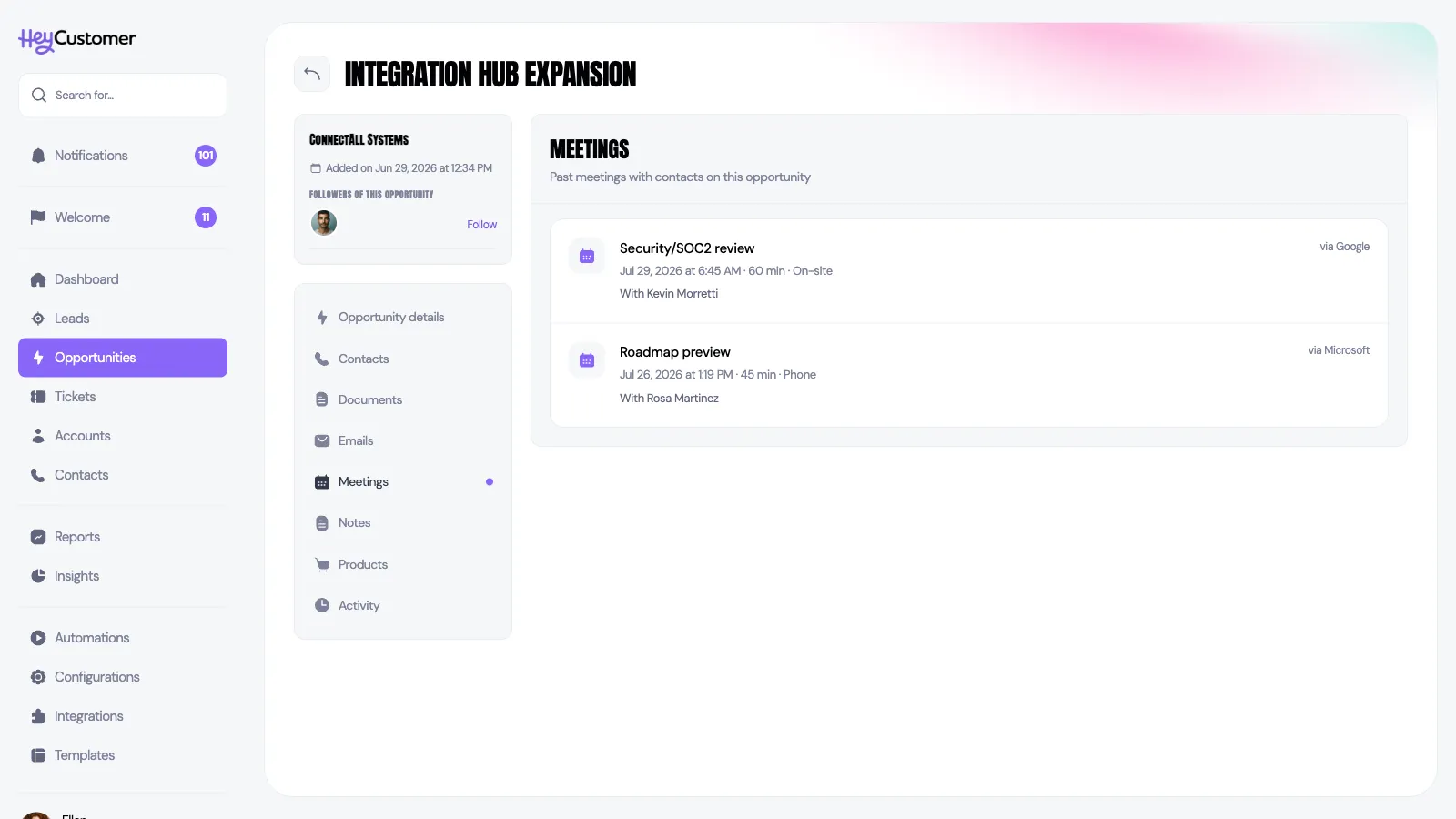
Two things to know about the calendar. It only brings in meetings that have already happened, so this is a record of what took place rather than a view of your upcoming week — keep using your own calendar for that. And it only ever reads: Hey Customer never creates, moves or cancels anything in your calendar.
Still need help? Email us at support@heycustomer.com