
Move accounts, contacts, leads, opportunities, tickets, and notes in from a CSV or Excel file — with a dry run first and an undo after.
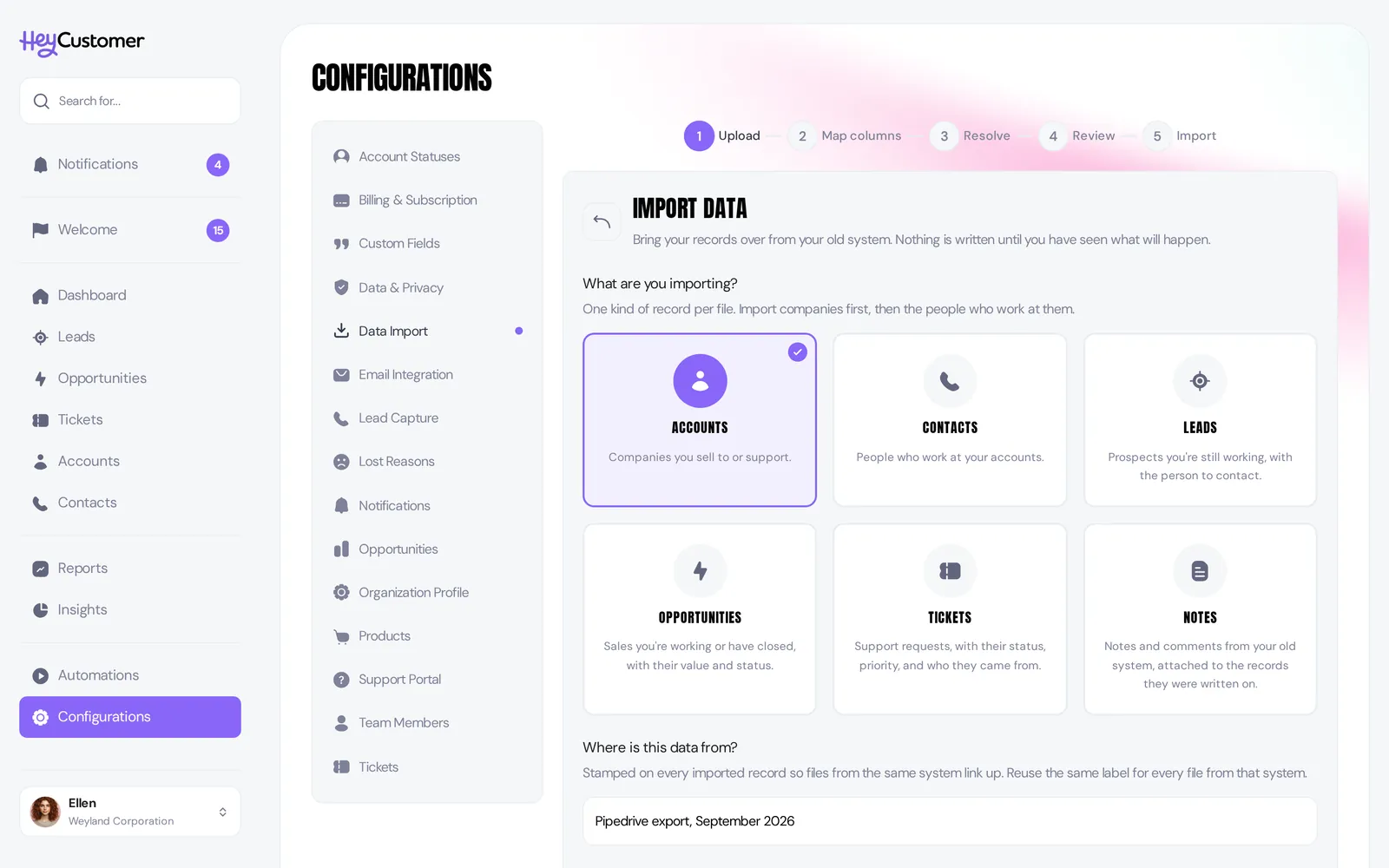
Hey Customer imports accounts, contacts, leads, opportunities, tickets, and notes from a CSV or Excel file — up to 50,000 rows at a time, one kind of record per file.
Export from the CRM you're leaving and upload the file as it comes. Hey Customer already knows what Pipedrive and HubSpot call their columns, so Organization name, Owner email, and the rest land on the right fields without being told.
Bring your old record IDs along and every later file — the contacts, the deals, the tickets — links itself back to the right company.
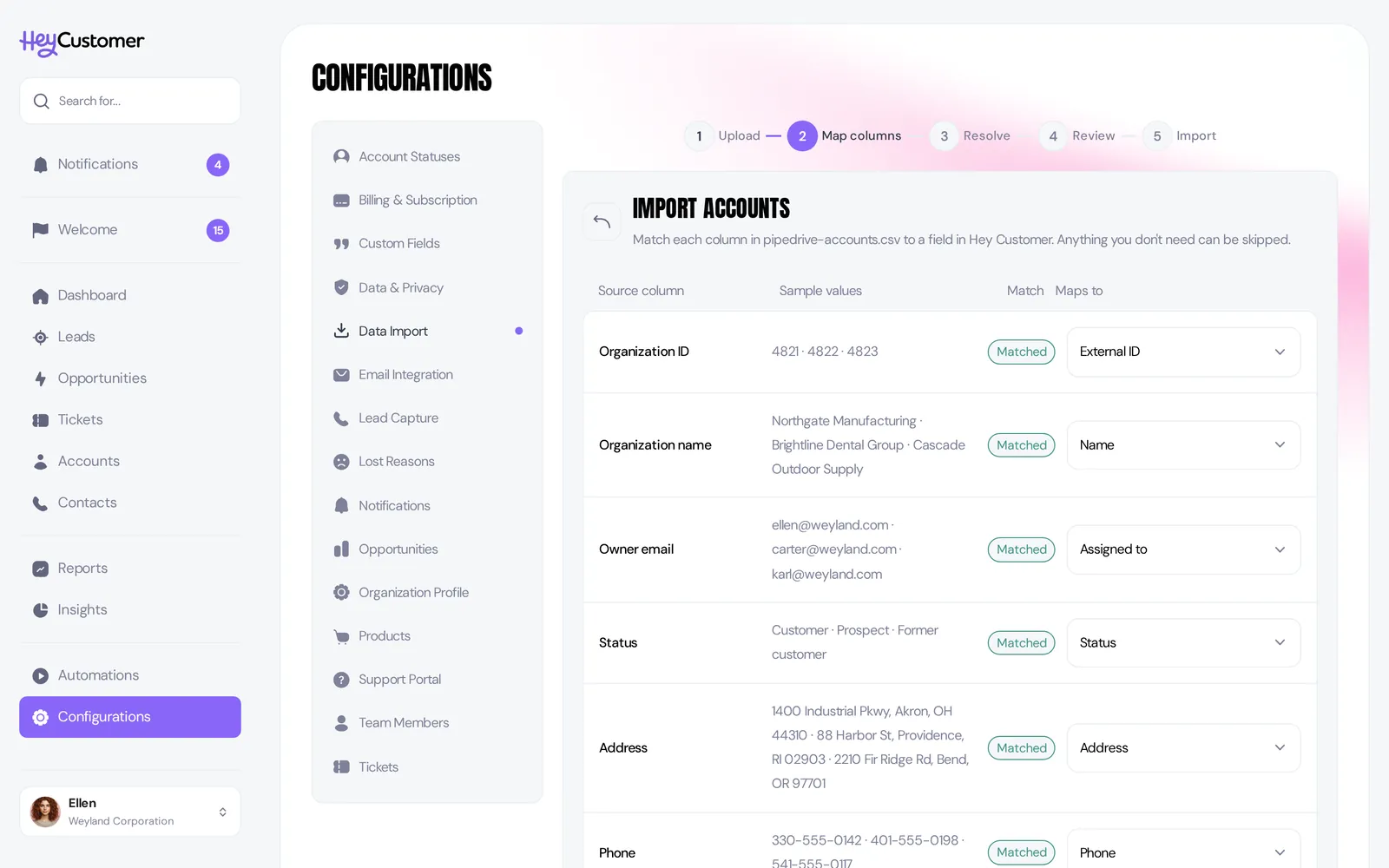
Five steps, and nothing is written until you say so on the fourth. Upload, check the column mapping, resolve anything unfamiliar, review, import.
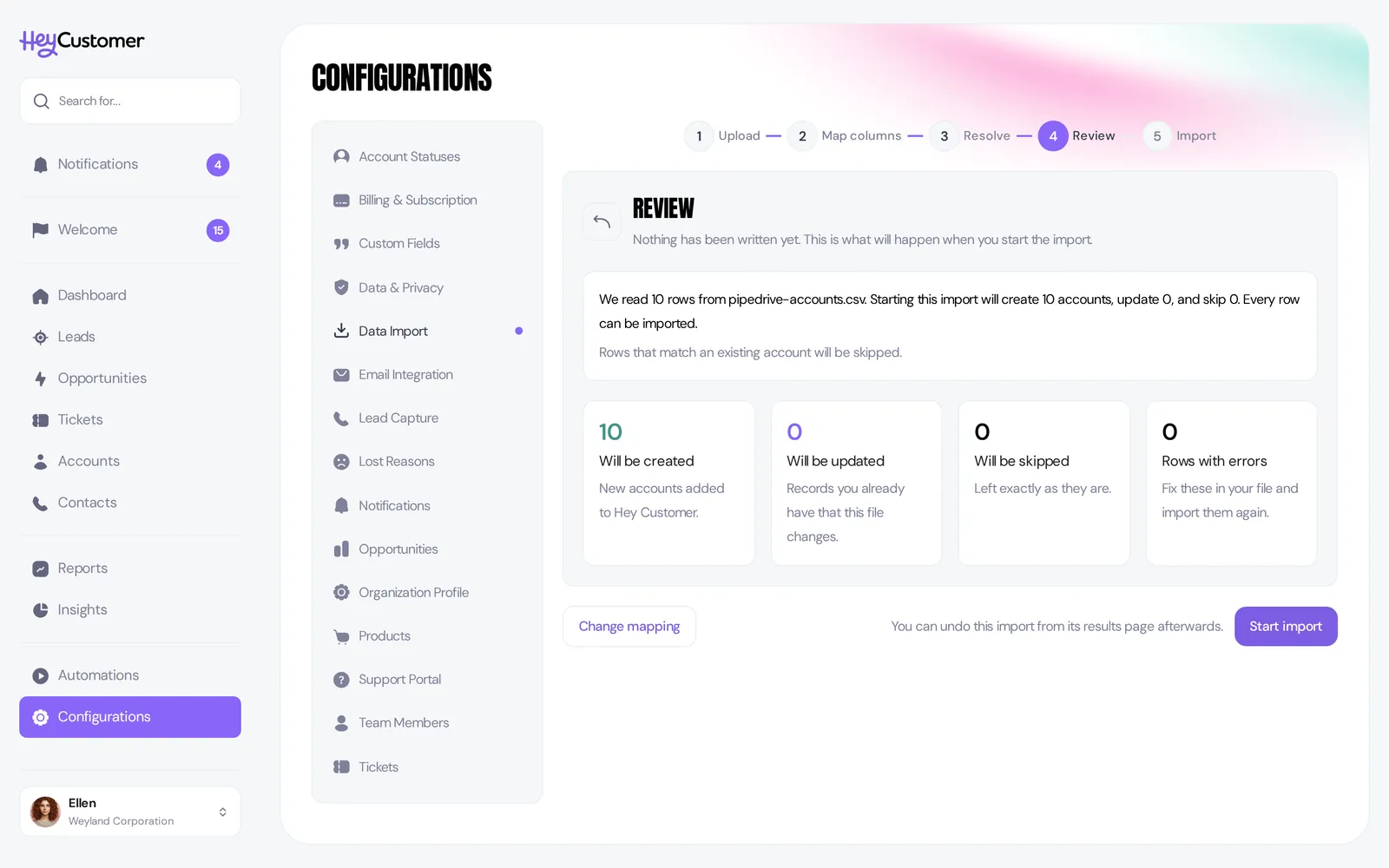
Hey Customer reads every row against your mapping first, then gives you the numbers: how many records will be created, how many updated, how many skipped, and how many rows have a problem. A status your file uses that Hey Customer has never seen is listed by name with a choice — create it, point it at one you already have, or leave the field empty. Columns with no home go to a custom field or get skipped.
No consultant, no migration project, no weekend. You see exactly what will happen before it happens.

Got it wrong? Undo the whole import for 90 days, and download a CSV of just the rows that failed so you can fix those and run them again.
The door swings out as easily as it swings in. Export every record any time — one ZIP with a CSV per record type, plus your statuses, priorities, custom fields, and templates, in the same columns the importer reads.
Your data reads straight back into anything, including us. A CRM should hold your customer relationships, not hold them hostage.